Rotate your phone to portrait to continue
Six steps, one guide each: upload the video, enter the match details, review every action, read the stats, build montages and generate the final scouting report. The videos are currently in Italian.
Record the match with a fixed camera behind the end line, centred and between 2.5 and 4 metres high, framing the whole court without moving from the first serve to the last ball. Drag the video into the app, trim it and place the four markers on the corners of the court. Name the match and submit: the upload takes about ten minutes, the automatic analysis between two and five hours.
When the analysis is done, add the two teams, creating them from scratch or picking them from the ones you've saved, and mark any substitutes who came on: team A is the one starting near the camera. Then, in a few minutes, identify each set's starting rotation in the dedicated tab, choosing the correct line-up.
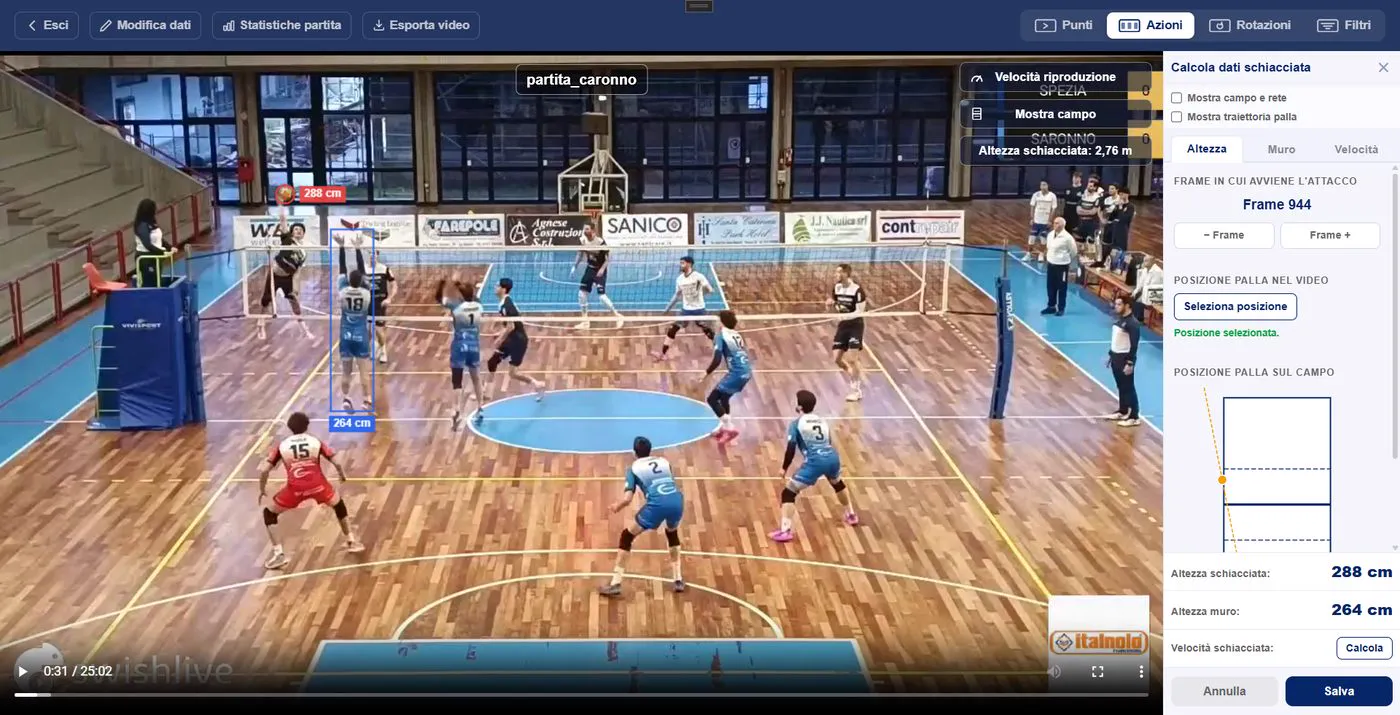
Go through the match point by point or action by action, correct or manually recalculate the height and speed of spikes and serves, and compare points won and lost in each rotation. Use the filters to isolate the actions you care about, by player, skill or outcome, and replay their clips and trajectories.
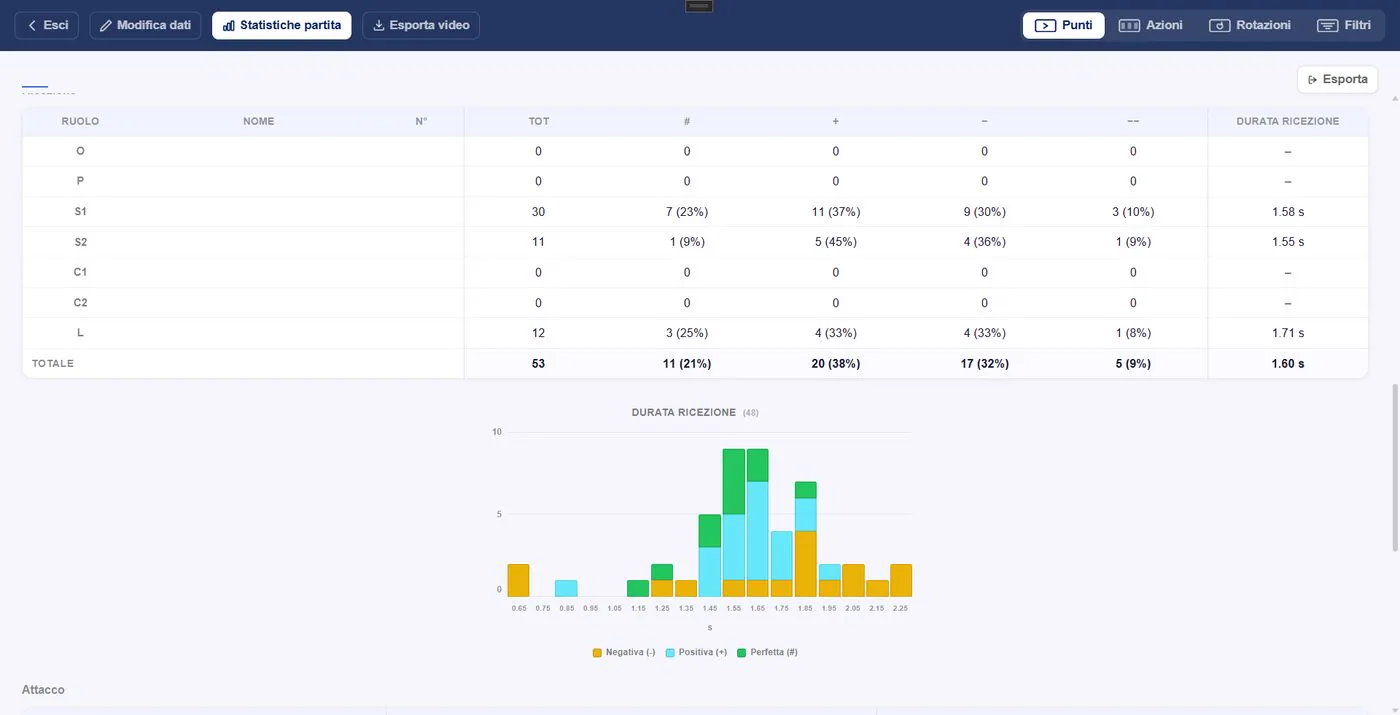
Browse the stats of both teams by set, skill, player and rotation: every cell takes you straight to the matching clip. The distributions show the height and speed of serves and attacks, and every table can be exported to Excel or CSV.
Use the filters to pick the clips you want, for example an outside hitter's kills, and export them to a new or existing montage. Each montage collects your clip packages, lets you add comments and exports the final video as mp4.
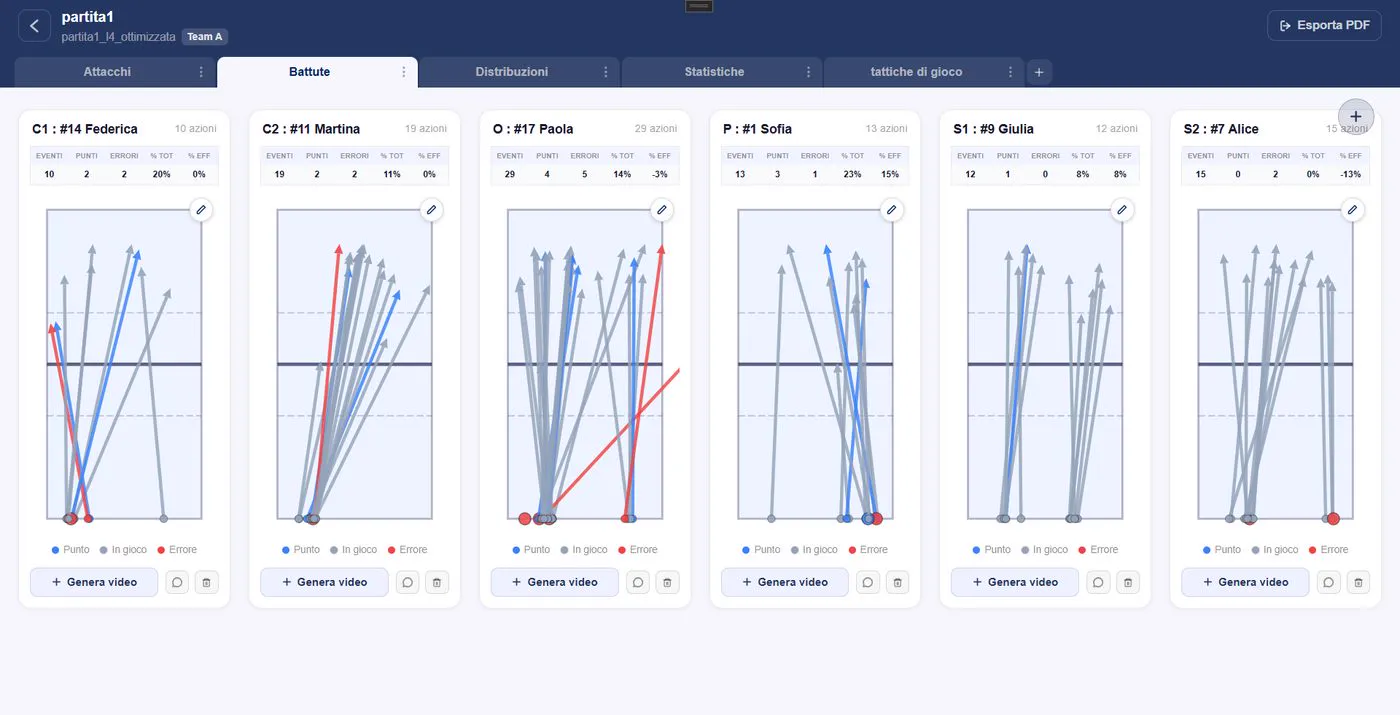
Automatically generate a scouting report from one or more matches: attack directions per player, serve directions, setter distributions and team stats, each with its own video. Draw on the charts, add comments and export everything to a PDF ready for the coaching staff.
All you need is a match video: the automatic analysis does the rest.
Download Spike Net Spike Net